This workspace keeps the Observatory Code database for the Minor Planet Center in a
conservative, file-driven form. The goal is simple: keep the FreeBASIC source stable,
make the data files reproducible, and generate HTML summaries that are easy to inspect
without changing the underlying meaning of the data.
The generator now runs MPC sync with --max-age-days=0, so every current MPC code is checked before a normal page build.
The main station table no longer shows the internal Sort date column; country cells link to the generated country maps.
All auxiliary report tables with generated exports are sortable, and the Doubles table visually groups related pairs.
Country maps allow much deeper zoom while station codes and markers keep their screen size.
Tile file names and station/country labels wrap more cleanly at underscores and other non-letter separators.
Generated data
The most useful generated outputs are listed first. The technical implementation details
are further down for readers who want to inspect how the data is produced.
The following sections are intended for technically interested readers. If you only want
the presented data, the generated-data links above are the relevant entry points.
What this project does
The central program, mpc_obscode_api.bas, downloads and
maintains a local snapshot of MPC Observatory Code data. It can check a single code,
synchronize the full local snapshot, write logs, rotate logs, and produce the files that
other tools in this workspace read.
The data is stored as a tab-separated snapshot so it remains readable, diffable, and easy
to repair. From that source, the workspace can also generate HTML statistics pages and
supporting chart images. This keeps the code path auditable: the same snapshot can drive
both the FreeBASIC include file and the HTML summaries.
The design is intentionally conservative. The system favors small, explicit steps over
architectural abstraction. That keeps the behavior easier to verify and avoids hidden
state across tools.
Why it is structured this way
Single FreeBASIC source
The project stays in one .bas file because that is the safest way to work
with the current FreeBASIC toolchain and to keep the instruction set simple. It also
makes it easier to review every change as one coherent program.
Snapshot first, outputs second
The snapshot acts as the shared truth. Once the TSV is correct, the include file and
the HTML reports can be regenerated from the same source instead of each tool inventing
its own interpretation.
No static array in the .bi file
The include file is kept minimal: it carries the type definition and a load function,
but no embedded static data array. That keeps the include smaller and avoids copying a
large data block into the source tree.
English UI, unchanged data
The HTML pages use English for labels, headings, and descriptive text so the interface
is consistent. The actual database values remain untouched, which matters when the data
itself is the source of truth.
The include file is written for consumption by other FreeBASIC code.
The HTML generator reads the TSV and builds the summary pages.
The country layer is resolved from a locally cached boundary data set.
Flag SVGs are cached locally and reused in the HTML tables.
Frequency charts are exported as image files for separate inspection.
Daily create/update changes are written to a dedicated reverse-chronological HTML page.
A KMZ archive is written for map viewers that can import placemarks.
This sequence matters because it keeps each output derived from one consistent source.
It is easier to debug a single corrupted stage than to untangle multiple competing copies
of the same data.
The working rules are not decorative. They are there to prevent silent damage to the data
and to keep the editing process deterministic.
Keep the TSV field order unchanged.
Keep the MPC code format constrained to [0-9A-Z][0-9][0-9].
Do not change the architecture without a direct user confirmation.
Change only the requested function or the requested area.
Keep the .bi output minimal: type plus load function only.
Run fbc only when a .bas file changed.
Run Python only when a .py file changed.
These rules intentionally trade speed for predictability. That is the right tradeoff when
the repository is used as a structured data and tooling workspace rather than as a wide
open playground.
Generated outputs
The current generator writes the main overview page, the frequency pages, the daily
change page, the country exception pages, and the KMZ archive. The charts are saved
separately so the HTML pages remain lighter and the images can be reused independently.
The HTML pages are intended to be practical inspection tools rather than polished public
marketing pages. They focus on reading, sorting, and understanding the data quickly.
Main page
The main page presents the full station list, sortable by code, name, dates, type,
status, last checked time, and web link. The footer shows counts, minimum values, and
maximum values so suspicious rows are easier to spot.
Frequency pages
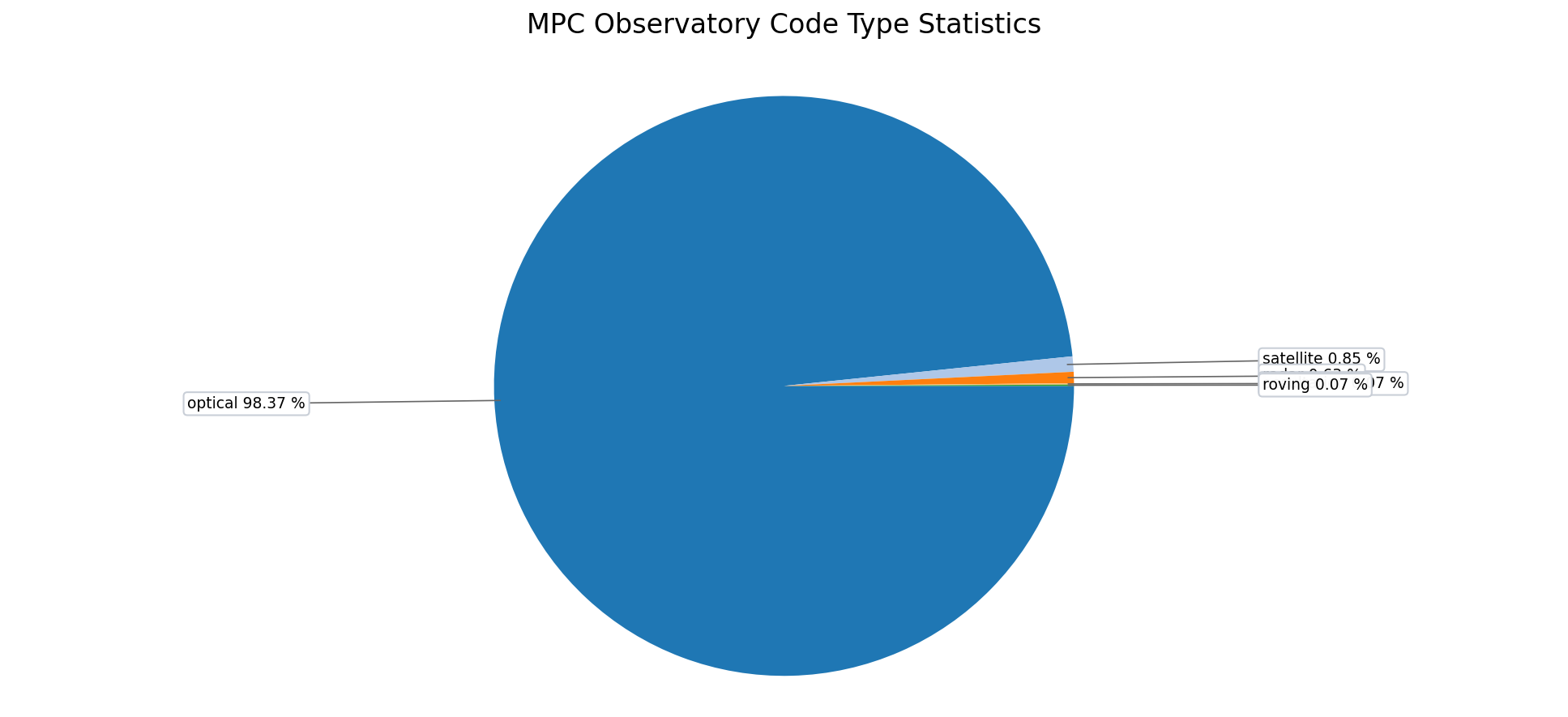
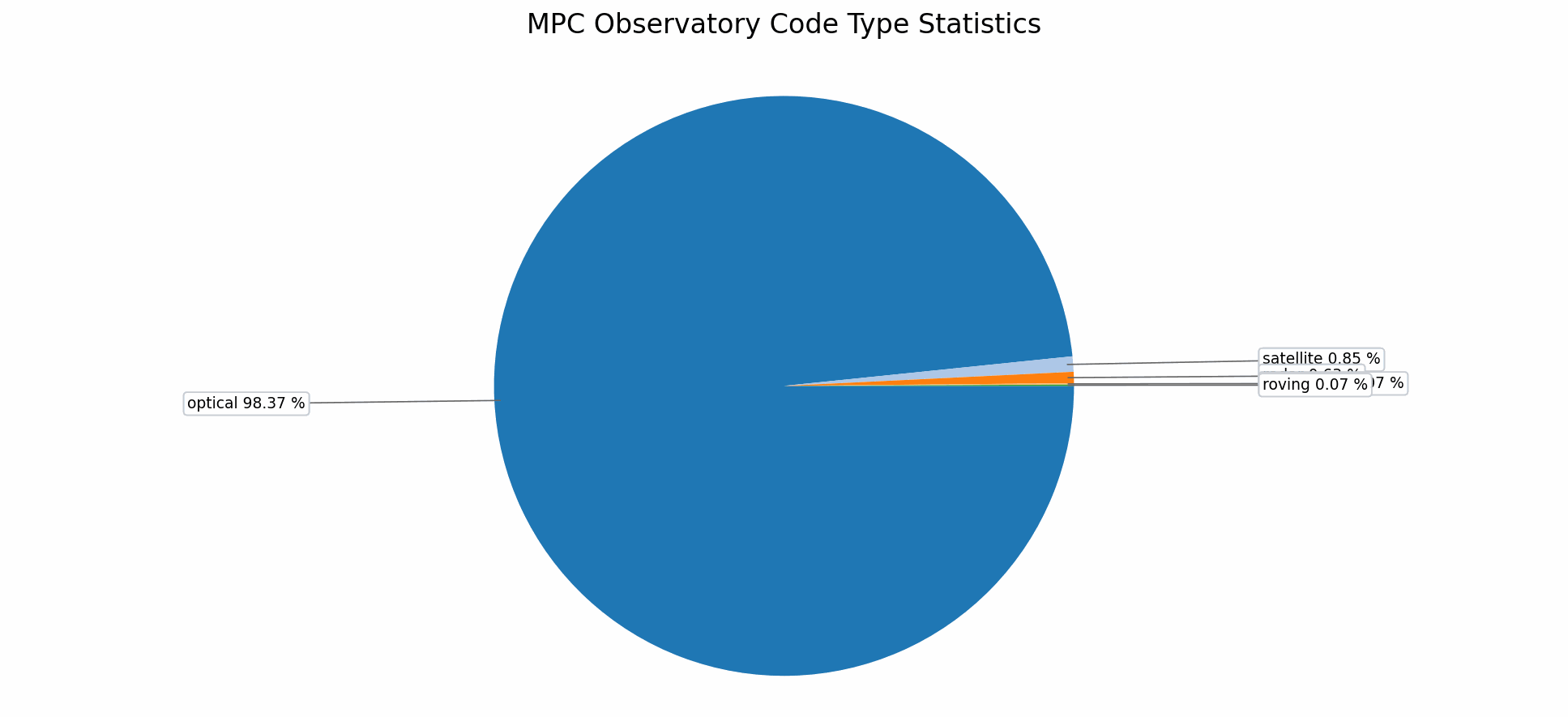
The type and status pages group equal text values, sort them by frequency, and place
the chart next to the table. This makes the dominant categories obvious at a glance.
The chart images are rotated to the right before export. That was done to make the label
placement work better in the generated bitmap outputs and to keep the chart view compact
enough for direct inspection.
Country layer and flags
The derived country column is based on a locally cached country-boundary GeoJSON file.
The HTML tables link to the data source so the provenance stays visible where the country
labels are actually shown.
Boundaries
The cache is derived from the
geo-countries data bundle,
which is based on Natural Earth boundary data. It is used to determine which country
contains a station point.
Flags
Flag icons are cached locally from the
flag-icons SVG collection and are
reused in the HTML tables and country statistics pages.
The derived country cache is stored locally in country_cache.json.
Known countries remain stable once resolved. Uncertain results may stay visible with a
question mark, and symbolic entries such as satellite objects use the special space flag.
Per-country maps can be opened directly from the generated country statistics page:
click any linked country in
mpc_code_stats_country.html.
The data values themselves are never translated. Only the file labels, interface text, and
documentation are written in English so the generated outputs stay consistent.
The repository includes a lightweight helper pair:
git_autosave.ps1 and
git_autosave.bat.
They are meant to reduce friction when saving a known good state after a targeted change.
They can set the local Git identity for the repository.
They can stage all changes and create a commit in one step.
They optionally print the short status so you can verify what changed.
This does not make Git automatic. It simply shortens the manual path from "I am done with
this change" to "the repository has a commit that captures it."
Practical workflow
A safe working sequence in this repository is usually:
1. Edit only the requested file or section.
2. Regenerate the affected output if the file is a generator.
3. Run the relevant file-type check:
   - fbc for .bas changes
   - python for .py changes
4. Review the generated files.
5. Save the state with Git when the result looks correct.
Because the repo contains both source code and generated artifacts, the distinction
between "source changed" and "output refreshed" is important. That is why the validation
rules are file-type-specific.
Next steps
If you continue working here, the best place to start is usually the source file that
matches the file type you intend to change. For code changes, open
mpc_obscode_api.bas. For HTML generation changes, open
mpc_obscode_tsv_to_html_v2.py.
The overall goal is not just to make files exist. The goal is to keep the MPC observatory
data pipeline understandable, reproducible, and easy to repair when one stage of the chain
shows a problem.
MPC Observatory Code Station Project
MPC-Sternwarten-Daten
Diese Seite stellt die erzeugten MPC-Stationsdaten direkt zugänglich bereit. Die
technischen Details stehen weiter unten für Leserinnen und Leser, die die
Entstehung der Daten nachvollziehen möchten.
Aktueller Änderungszeitpunkt: 2026-06-11 10:06:51 UTC
Der Generator startet den MPC-Sync jetzt mit --max-age-days=0; dadurch werden vor einem normalen Seitenbau alle aktuellen MPC-Codes geprüft.
Die Haupttabelle zeigt die interne Spalte Sort date nicht mehr; Länderzellen führen zu den erzeugten Länderkarten.
Alle Nebenbericht-Tabellen mit Exportfunktion sind sortierbar, und die Doubles-Tabelle gruppiert zusammengehörige Paare sichtbar.
Länderkarten erlauben deutlich tieferes Hineinzoomen, während Stationscodes und Marker am Bildschirm gleich groß bleiben.
Kachel-Dateinamen sowie Stations- und Ländernamen umbrechen sauberer an Unterstrichen und anderen Nicht-Buchstaben.
Erzeugte Daten
Diese Kacheln führen zu den wichtigsten Auswertungen. Die Tabellen selbst bleiben in
ihren Datenspalten unverändert; nur Beschriftungen und Erläuterungen sind übersetzt.
Die folgenden Dateien beschreiben die technische Grundlage. Wer nur die dargestellten
Daten sehen möchte, braucht diesen Abschnitt normalerweise nicht.
Vor jeder normalen Erzeugung startet der Generator den MPC-Sync. Danach werden
First Date, Last Date und Observations aus
https://www.jostjahn.de/stations/index.html
gelesen. Weblinks werden normalerweise höchstens einmal pro UTC-Tag geprüft.
Der Status in der Haupttabelle ist der lokale Sync-Status:
new bedeutet neu gefunden, changed bedeutet geänderter MPC-Datensatz,
same bedeutet unverändert und missing_from_list bedeutet, dass der Code
in der aktuellen MPC-Liste nicht mehr vorhanden war.